NET::ERR_CERT_DATE_INVALID: what it means and how to fix it
· Updated
By ToolsRacks Team · Web & Security
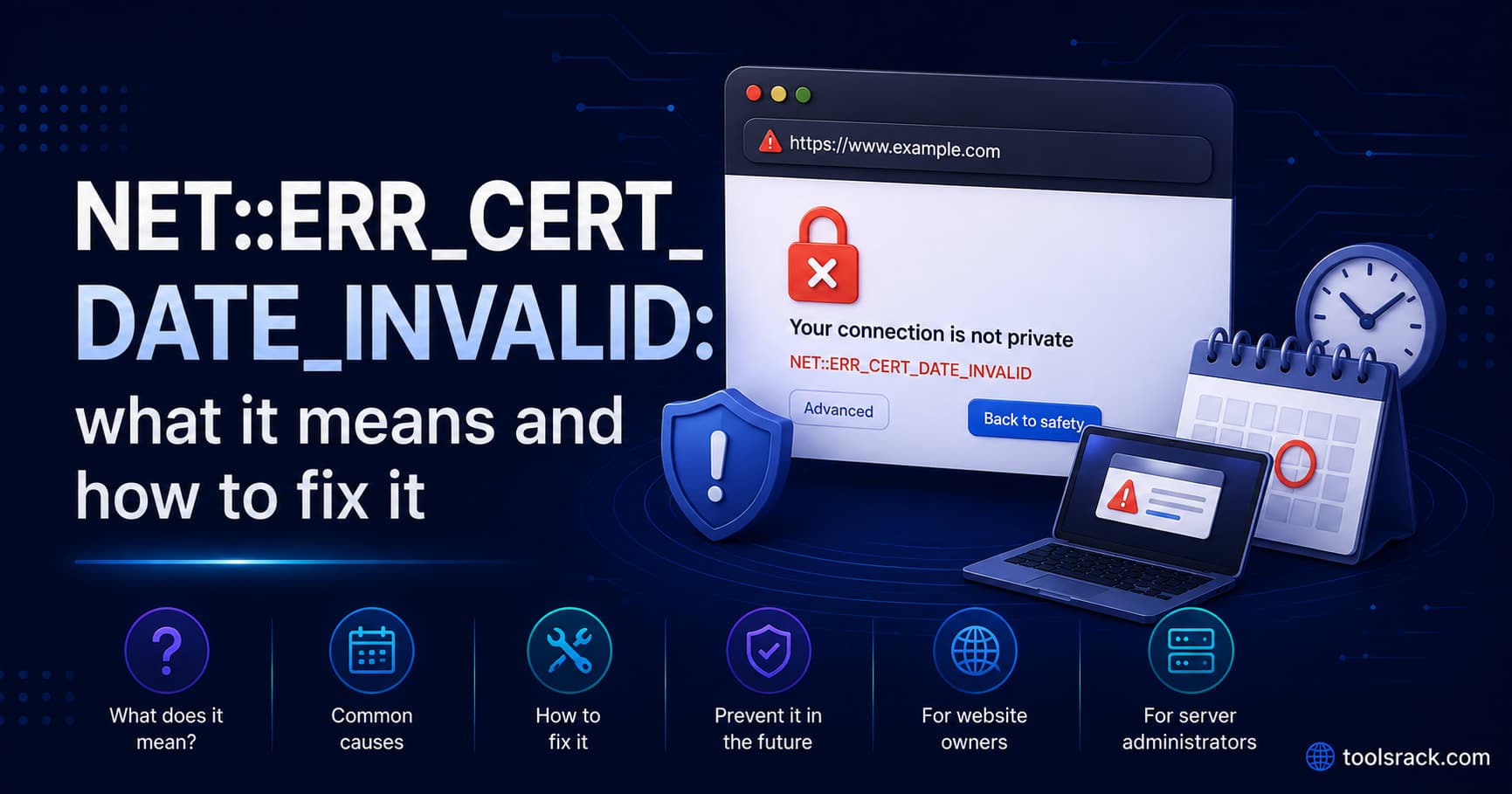
This error has two completely different causes — an expired certificate, or your own device clock. A ten-second test tells you which one you have.
Chrome replaces the page with a full-screen red warning and the code NET::ERR_CERT_DATE_INVALID. Before you assume the website is broken, check one thing: this error has two completely different causes, and one of them is on your own device.
- What it means: The current date falls outside the certificate's validity window.
- Cause A: The site's certificate genuinely expired — the site owner has to fix it.
- Cause B: Your device's clock is wrong, so every HTTPS site looks expired to you.
- Ten-second test: If several unrelated sites show the same error, it is your clock.
- Never do: ignore the warning and continue on a login, banking or payment page.
NET::ERR_CERT_DATE_INVALID means your browser compared the site's TLS certificate against the current date and found the certificate is either expired or not yet valid. Either the website's certificate has genuinely lapsed, or your own device's clock is set incorrectly. If more than one unrelated site shows the error, the clock is the cause.
Which of the two causes is it?
Open two or three well-known sites you have not visited today. Then:
- Only one site fails → that site's certificate has expired. Nothing on your device will fix it.
- Several sites fail → your device clock or time zone is wrong. This is extremely common after a dead laptop battery, a factory reset, a dual-boot setup, or on a phone with manual time enabled.
This takes ten seconds and saves people from an afternoon of clearing caches and reinstalling browsers to fix a clock.
If your clock is wrong
Certificates carry a "not before" and a "not after" timestamp. Your browser trusts your system clock to judge them, so a machine set to 2019 sees every current certificate as not yet valid, and a machine set years ahead sees them all as expired.
- Windows: Settings → Time & language → Date & time. Turn on "Set time automatically" and "Set time zone automatically", then click Sync now.
- macOS: System Settings → General → Date & Time. Enable "Set time and date automatically".
- Android and iOS: Date & Time settings, enable automatic / network-provided time.
- Linux:
timedatectl set-ntp true
Then reload. If a machine's clock drifts repeatedly, a failing CMOS battery on a desktop is the usual culprit.
If the site's certificate has actually expired
As a visitor, there is nothing you can safely do. The warning exists because your browser can no longer confirm you are talking to the real server rather than to something in between.
Do not click through on any page where you would type a password, a card number or personal information. For a static page you were only reading, the risk is lower — but the site is unmaintained enough to have let a certificate lapse, which is itself worth noticing. Better to report it and come back later.
If it is your site: why renewal failed
Certificates do not lapse suddenly. Automated renewal fails quietly, several times, and then the certificate expires. These are the usual reasons.
- The ACME challenge path is blocked. Let's Encrypt validates ownership by fetching a file under
/.well-known/acme-challenge/. A new redirect rule, an authentication wall or a WAF rule that blocks that path breaks renewal silently. - DNS changed. If the domain now points somewhere else, validation reaches the wrong server. Confirm the records with a DNS lookup before anything else.
- The renewal timer stopped. A cron entry or systemd timer removed during a server migration, or a container rebuilt without it. Check the schedule is still valid — our cron expression parser shows the next ten run times so you can confirm it fires when you think it does.
- A forced HTTPS redirect that catches the challenge. Redirecting every HTTP request to HTTPS before the challenge path is served is a classic self-inflicted failure.
- Rate limits. Repeated failed attempts can hit the certificate authority's limits, blocking retries for a period.
- Nobody was watching. No monitoring on expiry, so the first alert was a customer.
Check the current state — issuer, validity window and days remaining — with our free SSL certificate checker. Test both the apex domain and the www hostname: they are separate names and one can be covered while the other is not.
Other certificate errors, and what each one means
If your error code is not exactly ERR_CERT_DATE_INVALID, it is a different problem with a different fix.
| Error | Meaning | Usual fix |
|---|---|---|
ERR_CERT_DATE_INVALID | Outside the validity window | Renew the certificate, or fix the device clock |
ERR_CERT_COMMON_NAME_INVALID | The certificate does not cover this hostname | Reissue covering both apex and www, or redirect the uncovered name |
ERR_CERT_AUTHORITY_INVALID | The issuer is not trusted — often a missing intermediate certificate | Install the full chain, not just the leaf certificate |
ERR_SSL_PROTOCOL_ERROR | The handshake failed entirely | Check the server is listening on 443 and supports current TLS versions |
ERR_CERT_REVOKED | The certificate was revoked before expiry | Issue a new one; investigate why it was revoked |
The missing-intermediate case is worth calling out, because it produces the most confusing symptom in the set: the site works in your desktop browser — which cached the intermediate from another site — and fails on Android, on curl, and for a portion of your visitors.
Preventing it happening again
- Alert at 30 days remaining, even with automation. A silent renewal failure then surfaces with a month of slack instead of on a Sunday morning.
- Monitor both hostnames. Apex and
wwwcan diverge. - Do not redirect the ACME challenge path. Exclude
/.well-known/from forced HTTPS and from authentication. - Check renewal after every server change. Migrations, container rebuilds and reverse-proxy swaps are where timers quietly disappear.
- Watch the certificate after a DNS change, since validation depends on the domain resolving to the right server.
Certificate error questions
Is it safe to click "Proceed anyway"?
Not on anything involving credentials, payment or personal data. The warning means the identity of the server cannot be verified, which is exactly the condition an interception attack needs.
Why does it work on my phone but not my laptop?
Almost always a clock difference between the two devices. Compare the exact time on both, including the time zone.
Will clearing my cache fix it?
No. This is a date comparison, not a caching problem. Clearing the cache is the most common piece of unhelpful advice for this error.
Does an expired certificate hurt SEO?
Indirectly and badly. Visitors hit a full-screen interstitial and leave, and crawlers may fail to fetch pages over HTTPS. The ranking effect is a consequence of that, not a separate penalty.
How long are certificates valid?
Let's Encrypt issues 90-day certificates and renewal normally runs around day 60. Commercial certificates have historically been longer, and maximum lifetimes have been shortening across the industry — which makes reliable automation more important, not less.
The certificate looks valid in a checker but browsers still complain — why?
A date check alone does not confirm trust. The usual culprits are a missing intermediate certificate or a hostname the certificate does not cover. Both show as valid dates and still fail in a browser.
In one sentence
Open two other sites. If they also fail, fix your clock. If only one site fails, its certificate expired and only the owner can fix it — and if that owner is you, check the ACME challenge path before anything else.