Free Word Counter Online — Count Words & Characters

· Updated
By ToolsRacks Team · Writing Tools
Struggling to hit a word count target? Our free online word counter gives you instant word, character, and sentence counts — no account needed.
How to Use a Free Word Counter Online to Write Better Content
Whether you're writing a college essay, a blog post, an SEO meta description, or a social media caption — word count matters. A free word counter online removes all the guesswork by showing you exactly how many words, characters, sentences, and paragraphs your text contains, in real time.
In this guide, you'll learn what a word counter is, why it's essential for writers and students, and how to use the ToolsRacks Word Counter to take your writing to the next level.
What Is an Online Word Counter?
An online word counter is a browser-based tool that analyses a block of text and instantly returns key writing metrics:
- Word count — total number of words
- Character count — with and without spaces
- Sentence count — how many complete sentences
- Paragraph count — useful for readability analysis
- Reading time — estimated time to read aloud or silently
These metrics help writers hit platform requirements, improve readability, and optimise content for SEO.
Why Word Count Matters for Writers, Students & SEO
For Students & Academic Writers
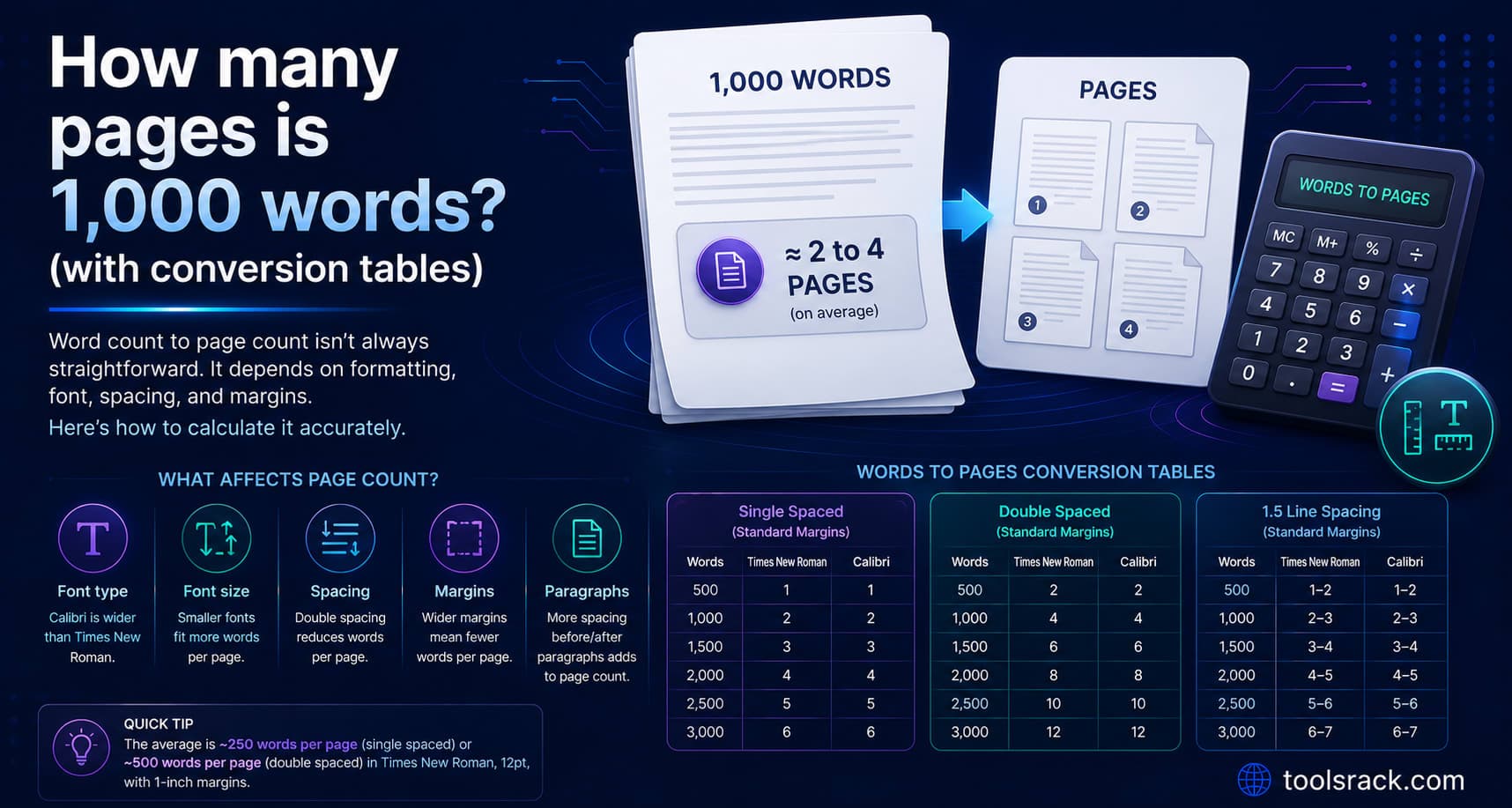
Most academic assignments come with strict word limits — 500 words for a short essay, 3,000 for a dissertation chapter. Going significantly over or under can cost marks. A word counter keeps you on track without manual counting.
For Bloggers & Content Creators
Search engines like Google reward longer, in-depth content. Posts of 1,500–2,500 words tend to rank higher for competitive keywords. Knowing your word count lets you decide when an article is ready to publish or needs more depth.
For SEO & Copywriters
Meta titles should be 50–60 characters. Meta descriptions should be 150–160 characters. Twitter has a 280-character limit. A character counter keeps you within these bounds — every single time.
For Social Media Managers
Instagram captions, LinkedIn posts, and X (Twitter) threads all have specific character limits. An online character counter ensures you're never caught off guard.
How to Use the ToolsRacks Word Counter (Step-by-Step)
1. Open the tool — Visit toolsracks.com/word-counter
2. Paste or type your text — Copy text from your document and paste it into the text area, or type directly
3. Read the results — Word count, character count, sentence count, and paragraph count update in real time
4. Adjust your writing — Add or remove content based on your target word count
5. Copy and use — Once satisfied, copy your optimised text back to your document
No signup, no download, no waiting. Results appear instantly.
Key Features of the ToolsRacks Word Counter
- ✅ Real-time counting — updates as you type
- ✅ Multiple metrics — words, characters (with/without spaces), sentences, paragraphs
- ✅ Reading time estimate — great for blog planning
- ✅ Works on all devices — desktop, tablet, and mobile
- ✅ 100% free — no account, no limits, no ads in the way
- ✅ Privacy-first — text is never stored or sent to a server
Common Use Cases
College essays | Word count |
SEO meta descriptions | Character count (150–160) |
Tweet/X posts | Character count (under 280 |
LinkedIn articles | Word count (1,500–2,000 recommended) |
Product descriptions | Word count (150–300) |
YouTube scripts | Word count (reading time) |
Frequently Asked Questions
Q: Does the word counter work for all languages?
A: Yes. The word counter works with any Latin-script language (English, Spanish, French, German, etc.) and provides accurate space-based word splitting.
Q: Is there a character limit on how much text I can paste?
A: No. You can paste as much text as you like — there's no character cap.
Q: Does it count words in headings and lists?
A: Yes. All visible text in the input box is counted, including headings, bullet points, and numbered lists.
Q: Is my text saved anywhere?
A: No. All processing happens in your browser. Your text is never sent to our servers.
Q: Can I use it for checking SEO meta description length?
A: Absolutely — just paste your meta description and check the character count. Aim for 150–160 characters.
Conclusion
A free online word counter is one of the simplest yet most valuable tools in any writer's toolkit. Whether you're a student trying to meet a word limit, a blogger optimising for SEO, or a copywriter checking character counts — having instant, accurate word metrics makes the job easier.
Try the ToolsRacks Word Counter now — free, instant, and no signup needed.