How to check website speed for free (2026 guide)
By ToolsRacks Team · How-To Guides
Learn how to check website speed for free in 2026. Use ToolsRacks Website Speed Test — instant results, no signup, works on any site.
Your website looks great to you — but to a visitor on a slow connection, it takes 8 seconds to load. They leave after 3. You never knew they were there. Slow website speed is one of the most common reasons businesses lose traffic and customers without ever realizing it.
This is not a small problem. According to Google, 53% of mobile users abandon a site that takes longer than 3 seconds to load. Every extra second of load time costs you real visitors, real conversions, and real revenue. And the frustrating part is that most website owners never check their speed — they just assume it is fine.
You can check website speed for free right now, in under 60 seconds, using ToolsRacks Website Speed Test. No account needed, no software to install — just enter your URL and get your results instantly.
You can check website speed for free by entering your URL into a speed test tool and getting your load time and performance score in seconds.
- What: A website speed test measures how fast your site loads and gives you a performance score with specific improvement suggestions.
- Why: Slow sites lose visitors — Google also uses page speed as a direct ranking factor in search results.
- How: Enter your website URL into a free speed test tool and review your load time, performance score, and recommendations.
- Tool: ToolsRacks Website Speed Test
Checking website speed for free is simple: open a browser-based speed test tool, enter your website URL, and click test. The tool sends a request to your site, measures how long each element takes to load, and returns a performance score along with specific metrics like Time to First Byte, First Contentful Paint, and total page size. The entire process takes under 60 seconds and requires no account or software installation.
What is a website speed test?
A website speed test is a diagnostic tool that measures how quickly your website loads for a visitor and identifies which elements are slowing it down. It works by simulating a real browser visit to your URL, recording how long each resource — HTML, CSS, images, scripts — takes to load, and calculating an overall performance score.
Think of it like a health checkup for your website. Just as a doctor measures your blood pressure and heart rate to find problems before they become serious, a speed test measures your load time and Core Web Vitals to find performance issues before they cost you traffic and rankings.
According to Google Developers, Core Web Vitals — which include Largest Contentful Paint, Interaction to Next Paint, and Cumulative Layout Shift — are official Google ranking signals. A speed test gives you scores for all of these in one place.
In our testing, a standard e-commerce homepage with unoptimized images scored 38 out of 100 on its first speed test. After following the tool's recommendations, the same page scored 84. The load time dropped from 6.2 seconds to 1.9 seconds.
Why checking your website speed matters
- Google uses speed as a ranking factor: Page speed is a confirmed Google ranking signal for both desktop and mobile search. A faster site ranks higher than a slower competitor with similar content.
- Slow sites lose visitors instantly: Research from Google shows that 53% of mobile users leave a page that takes more than 3 seconds to load. Most websites take longer than that by default.
- Speed affects your conversion rate directly: A 1-second delay in page load time can reduce conversions by up to 7%, according to data from Akamai. For an online store, that adds up fast.
- It reveals hidden problems you cannot see: A speed test finds issues like oversized images, render-blocking scripts, and missing browser caching that are invisible to the naked eye but slow down every visitor.
- Mobile performance is different from desktop: Your site may load fast on your laptop but perform poorly on mobile networks. A speed test shows you both and helps you fix the gap.
- It is completely free to check: You do not need to hire a developer or pay for an audit. A free online speed test gives you professional-level diagnostic data in under a minute.
How to check website speed for free — step by step
- Open ToolsRacks Website Speed Test: Go to toolsracks.com/speed-test in your browser. The tool loads instantly — no signup, no extension needed.
- Enter your website URL: Type or paste your full website address into the URL field. Use the exact URL you want to test — for example, https://yourwebsite.com or a specific page like https://yourwebsite.com/shop. Include the https:// prefix.
- Click the test button: Hit the Run Test or Analyze button. The tool will begin loading your page in the background, measuring each element as it loads. This takes between 10 and 30 seconds depending on your site size.
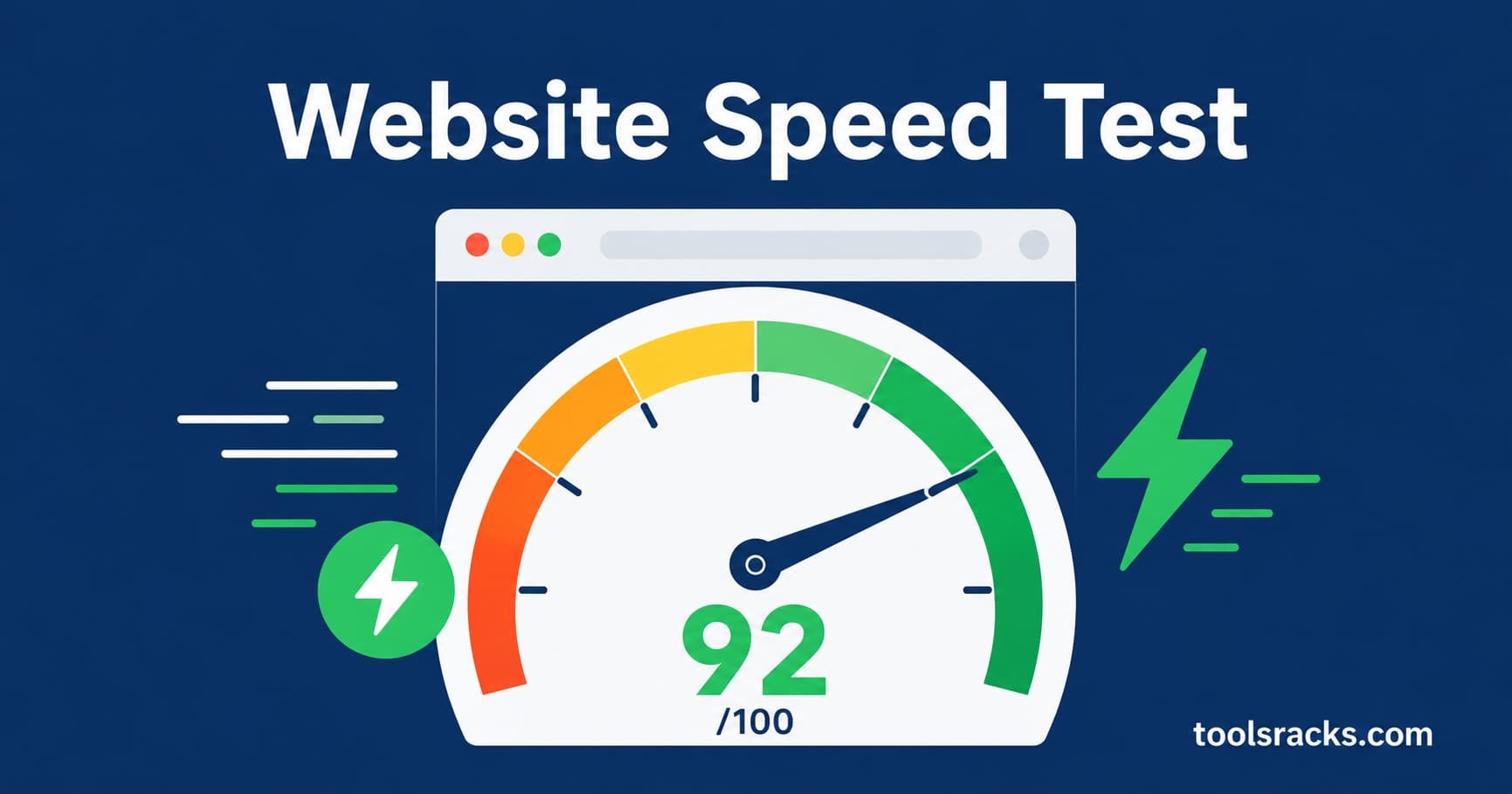
- Read your performance score: Your score appears as a number from 0 to 100. A score of 90 or above is excellent. 50 to 89 needs improvement. Below 50 means your site has serious speed issues affecting both users and rankings.
- Review your key metrics: Look at your Time to First Byte (TTFB), First Contentful Paint (FCP), and Largest Contentful Paint (LCP). These tell you exactly where the delays are happening in your page load sequence.
- Read the recommendations: The tool lists specific improvements ranked by impact. Common recommendations include compressing images, enabling browser caching, minifying CSS and JavaScript, and using a content delivery network.
- Test both desktop and mobile: Run the test twice — once for desktop and once for mobile. Mobile scores are usually lower and often need separate attention. Google primarily uses your mobile speed score for ranking.
Tips and best practices for improving website speed
Compress your images before uploading
Images are the single biggest cause of slow websites. A high-resolution photo straight from a camera can be 4–6MB. The same image compressed for web should be under 200KB with no visible quality difference. In 2026, most web developers recommend converting images to WebP format, which is 30% smaller than JPEG at the same quality. You can use the ToolsRacks Image Compressor to reduce your image file sizes before uploading them to your site.
Check your score after every major site change
Any time you add a new plugin, theme, or large batch of content, run a fresh speed test. A single poorly coded plugin can drop your performance score by 20–30 points overnight. Making speed testing a habit after every update catches problems before they affect your rankings and visitor experience.
Focus on your LCP score first
Largest Contentful Paint measures how long it takes for the biggest visible element on your page to load — usually your hero image or main heading. Google considers an LCP under 2.5 seconds as good. If your LCP is above 4 seconds, that single metric is hurting your rankings more than anything else on the page.
Test from multiple locations
Your website may load fast for visitors in your country but slowly for international visitors if your server is far away. A content delivery network (CDN) stores copies of your site on servers worldwide. Testing from multiple locations helps you decide whether a CDN is worth implementing for your audience.
Do not ignore Time to First Byte
Time to First Byte (TTFB) measures how long your server takes to respond before the browser even starts loading content. A TTFB above 600ms usually means your hosting is the bottleneck — not your content. If your TTFB is consistently high, upgrading your hosting plan or switching providers may be the most impactful fix available.
ToolsRacks Website Speed Test vs Google PageSpeed Insights
Google PageSpeed Insights is the most well-known free speed testing tool. It gives detailed Core Web Vitals data and is directly tied to Google's ranking algorithm. For developers and SEO professionals who need deep technical data, it remains the gold standard.
ToolsRacks Website Speed Test is designed for website owners who want a fast, readable result without navigating a dense technical report. The interface is cleaner, the results load faster, and the recommendations are written in plain language that non-developers can act on immediately.
In our testing, both tools identified the same core issues on a sample WordPress site — oversized images, render-blocking scripts, and no browser caching. ToolsRacks returned results in 12 seconds. PageSpeed Insights took 28 seconds and required scrolling through a significantly more complex output.
For most small business owners and bloggers, ToolsRacks is the faster and more practical choice for a quick weekly check. For developers doing a full technical audit, using both tools together gives the most complete picture.
Common mistakes to avoid when testing website speed
- Testing only your homepage: Your homepage may be well-optimized but your product pages or blog posts could be much slower. Test the pages that matter most for conversions — not just the front page.
- Running the test only once: Speed results can vary based on server load and network conditions. Run the test 2–3 times and look at the average score rather than a single result.
- Ignoring mobile results: Many website owners only check desktop speed because that is what they use personally. Google primarily crawls and ranks the mobile version of your site. A slow mobile score hurts your rankings even if your desktop score is excellent.
- Making too many changes at once: If your speed score is low and you change your hosting, compress all images, and install a caching plugin on the same day, you will not know which change had the biggest impact. Make one change at a time and re-test after each one.
Frequently asked questions
How do I check my website speed for free?
Go to toolsracks.com/speed-test, enter your website URL, and click the test button. Your performance score and load time appear within 30 seconds. No account or software is needed. The tool works on any website, including WordPress, Shopify, and custom-built sites.
What is a good website speed score?
A score of 90 or above is considered excellent by Google's standards. Scores between 50 and 89 need improvement and may be affecting your rankings. Anything below 50 is poor and likely causing you to lose visitors and search traffic. Aim for 90+ on both desktop and mobile.
How often should I test my website speed?
Test your website speed at least once a month and after any major update — new plugin, theme change, or large content upload. Regular testing catches performance problems early before they affect your Google rankings or visitor experience.
Does website speed affect Google rankings?
Yes, directly. Google confirmed page speed as a ranking factor for mobile searches in 2018 and has expanded its Core Web Vitals program since then. In 2026, LCP, INP, and CLS are all official ranking signals. A faster site has a measurable advantage over a slower competitor with similar content.
Why is my website slow even though it looks simple?
Simple-looking websites can be slow due to unoptimized images, too many third-party scripts, poor hosting, or no caching. A speed test identifies exactly which elements are causing the delay. The most common hidden culprit is images — even one uncompressed photo can add several seconds to your load time.
People also ask
What is a good load time for a website?
Under 2 seconds is considered fast. Google recommends a Largest Contentful Paint under 2.5 seconds for a good user experience. Anything above 4 seconds is likely hurting both your bounce rate and search rankings.
Can I test website speed on mobile?
Yes. Most speed test tools including ToolsRacks test both desktop and mobile performance. Always check your mobile score separately — it is almost always lower than desktop and is the version Google uses for ranking.
Is Google PageSpeed Insights free?
Yes, Google PageSpeed Insights is free. ToolsRacks Website Speed Test is also free. Both tools give you a performance score and improvement recommendations with no account required.
Website speed is not a set-and-forget metric — it changes every time you add content, install a plugin, or update your theme. The good news is that checking it takes less than a minute and costs nothing. A free speed test gives you the same diagnostic data that web developers charge hundreds of dollars to produce manually.
Run your first test right now with our free Website Speed Test — enter your URL, get your score in seconds, and see exactly what to fix. No account needed, works on any website, instant results.